A generated CV can look polished the moment it appears on screen, but polished is not the same as defensible. A tailored CV review is the last chance to slow down, read each line, and make sure the draft still matches the real person behind it.
That matters because CVZilla’s Job Tailoring flow is built around a truthful workflow: keep the master profile accurate, choose a real vacancy, let the system prepare a role-focused version, then review and correct the draft before you use it in an application. The page itself is framed as a review-and-download step, which is a helpful reminder that the final decision belongs after the check, not before.
Why the final review matters before you save or download
If you already turned the vacancy into an application checklist with How to Turn a Job Description Into an Application Checklist, bring that same checklist back into the review and compare the draft line by line. A tailored CV should be reviewed before download, not trusted as the first draft. That simple pause helps you separate what is clearly supported, what is only adjacent, and what should be removed or rewritten before anyone else sees it.
CVZilla’s Job Tailoring workflow is designed to support that habit. The intended path is to keep the master profile accurate, select a real vacancy, let CVZilla prepare a role-focused draft, review it for accuracy and relevance, and correct anything that overstates or misrepresents your background before you use the tailored CV in the application process. The live page’s review-and-download framing fits that logic exactly: the draft is ready to inspect, not ready to trust blindly.
- Treat the first version as a draft, even if it already looks finished.
- Use your role checklist as a truth check, not as a wish list.
- Compare the draft against what you can actually explain in an interview.
- If a line feels too polished to defend, slow down and rewrite it before moving on.
Check the tailored CV in the editor for supported fields only
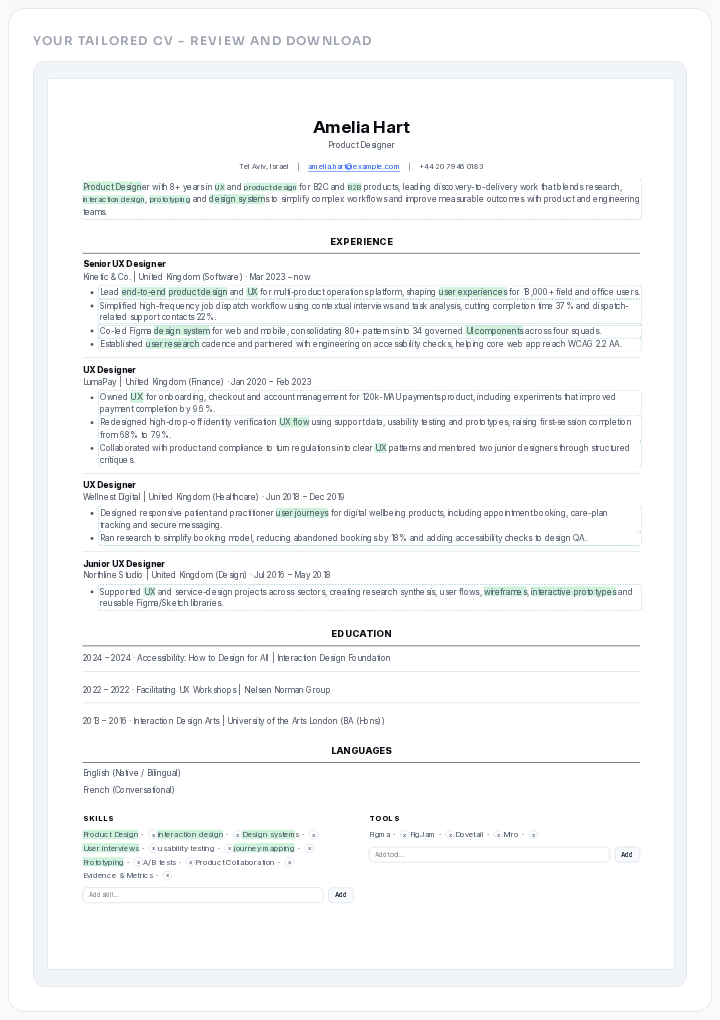
The editor is where the real review happens because it shows the completed tailoring work in one place. CVZilla supports inline editing for the professional summary, supported experience bullets, project bullets, education bullets, and skills and tools chips, so you can inspect the CV section by section instead of making tiny guesses from memory. Changes update immediately, but they remain local until you choose Save, which means you still have a clean moment to catch a weak claim before it becomes part of the final file.
Use that space to separate supported claims from adjacent or unsupported ones. Supported means the line can be tied directly to your real work. Adjacent means it sounds plausible but stretches beyond what you actually did. Unsupported means it crosses the line entirely. If you want a neutral job-role reference while you sanity-check wording, O*NET OnLine can help you compare task language, and How to Tailor Your Resume to a Job Description Without Keyword Stuffing is a useful reminder to keep keywords tied to what you can honestly defend. If the generated result is missing or invalid, the editor can surface an error and send you back to Optimization instead of letting you keep working on the wrong draft.
- Keep the summary close to your real background, not the most impressive version of the role description.
- Review experience, projects, and education bullets as statements of fact, not as a place to borrow status.
- Treat skills and tools chips as evidence of use, not familiarity by proximity.
- If the editor shows something you cannot defend clearly, remove it or rewrite it immediately.
Correct claims that overstate your experience, scope, or ownership
The most useful edit is often subtraction. If the draft makes you sound more senior than you are, change the wording until it matches your actual responsibility. A bullet that says you led a project should only stay if you truly led it; if you contributed, coordinated, supported, or maintained part of the work, say that plainly. Accuracy does not make a CV weaker. It makes it believable.
This is also where CVZilla’s ATS guidance keeps the review grounded. Keywords belong in the CV when they are tied to truthful skills, responsibilities, tools, and outcomes. Do not stuff in phrases just because they appear in the vacancy, and do not copy requirements you cannot support. If the draft still feels too ambitious after that edit, How to Use CVZilla’s Optimization Panel to Prioritize Resume Fixes can help you decide which issues deserve attention first.
- Summary: reduce inflated seniority and keep the role description true to your background.
- Experience: use verbs that match your actual level of ownership, such as supported, coordinated, maintained, or contributed, when those are the facts.
- Projects: keep the scope specific so a reader can tell what you actually built, shipped, documented, or improved.
- Skills and tools: list only what you can stand behind in an interview, not tools you only touched briefly or observed from the side.
Preview the rendered CV to catch fit, formatting, and readability issues
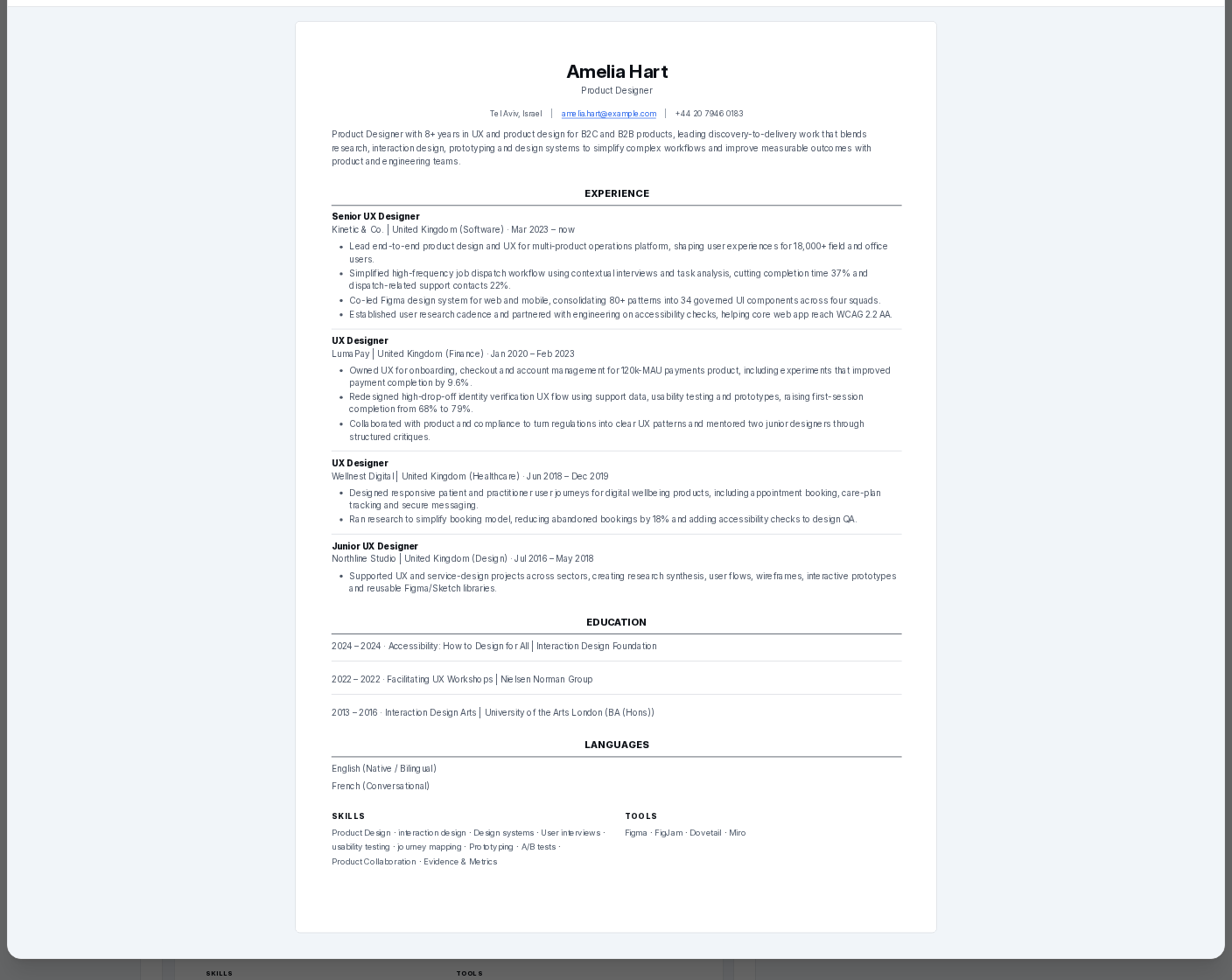
Once the content is truthful, move into preview and look at the document the way a recruiter will actually see it. Full-screen preview gives you Back, Layout, Template, Download, and zoom controls, so you can inspect the rendered CV instead of only reading editable text. That matters because a line that seems fine in the editor can still wrap badly, crowd another section, or become harder to scan once the layout is fixed.
If the preview feels tight, crowded, or visually noisy, do not treat that as cosmetic and move on. Fix it before you download. The point is to confirm fit, formatting, and readability while you still have the option to adjust the wording. GOV.UK's writing guidance is a useful reminder that concise language is usually easier to read than padded language, and that principle is just as helpful when you are checking a CV preview.
- Check whether line wrapping changes the meaning or makes a section harder to scan.
- Look for awkward spacing, crowded chips, or a layout that pushes important content together.
- Use zoom to inspect the document at a comfortable viewing size before you commit to download.
- If preview exposes a readability problem, return to the editor and correct it first.
Make the final save or download decision only after the honest check
The rule is simple: save only after the content is supported and the preview looks right. Unsaved manual edits stay local until you choose Save or Discard, and Download saves pending edits first, so the button should never outrun the review. That is useful, but it is not a reason to skip the check. The order still matters: verify first, save second, download last.
A careful final pass keeps the CV truthful and application-ready. It reduces the risk of a recruiter seeing a claim you cannot explain, and it gives you a cleaner document to submit with confidence. If anything is overstated, unsupported, or visually awkward, stop and fix it before you move forward. The goal is not to make the draft sound bigger than your experience. The goal is to make it accurate enough to stand on its own.
- Do not trust the first draft just because it is complete.
- Do not download before the preview check.
- Do not keep claims you would hesitate to explain in an interview.
- Do save or download only when the wording, layout, and scope all feel defensible.
A strong tailored CV is not just relevant. It is honest, readable, and ready to defend line by line.
If the editor shows only supported claims and the preview looks clean, you have done the final check the right way. Then saving or downloading is not a gamble; it is the last step in a careful review.