
If you already have a master profile in CVZilla, the next step is not to start improvising in a vacancy field like it’s a blank napkin.
The cleaner path is simpler: finish the profile, render the base CV, then start one tailoring run for one real vacancy. That order matters because the profile is the source record, and the tailored CV is the application-specific version built from it.
This walkthrough follows the product the way it actually works, so you can see what to prepare, where the controls live, and how the final result stays tied to the original profile instead of drifting into wishful thinking.
Finish the master profile first
The master record is the upstream source that feeds both the base CV and the tailoring workflow, so this is where the story starts. In CVZilla, the header fields include name, primary role, summary, contact details, and location, which gives the app enough structure to assemble a usable starting document. If you want to see that starting point in the interface, the Profile area is the first stop.
Experience-like sections add dated records, optional industry and country context, bullets, and AI-assisted bullet rewriting where shown. That matters because the profile is not just a storage box; it is the source material the rest of the workflow reads from.
The useful rule is straightforward: keep the profile broad enough to hold your full background, but specific enough that each claim stands on its own. If a detail is only implied by a job title, it is still just implied. That is exactly why the profile exists before the vacancy does.
Use the base CV preview as the baseline
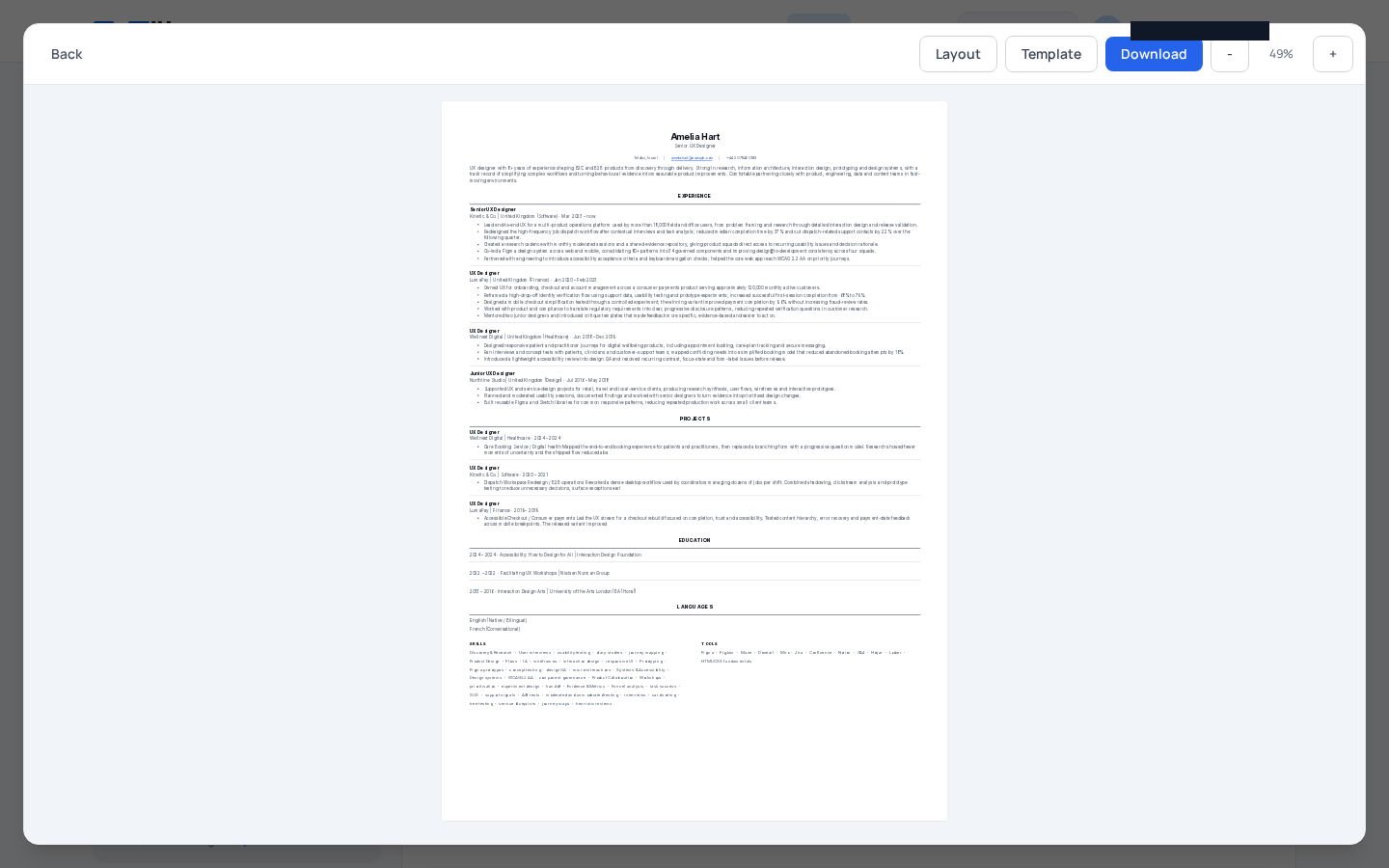
Once the profile is in shape, CVZilla assembles the base CV from that current profile and lets you open the rendered preview. That is the first checkpoint where the source data becomes an actual CV view, instead of a pile of fields.
This is also the right moment to compare the source record with the output. The profile remains editable in the background, while the preview shows what a recruiter would see if you stopped here and exported nothing else.
A simple, self-contained layout helps more than a clever one. NIST advises readable, fully documented applications, and the ILO guidance favors clear ordering with more detail given to role-relevant experience. So the baseline should be easy to scan before any tailoring starts. A quick look now usually saves a longer sigh later.
Start tailoring from a real vacancy source
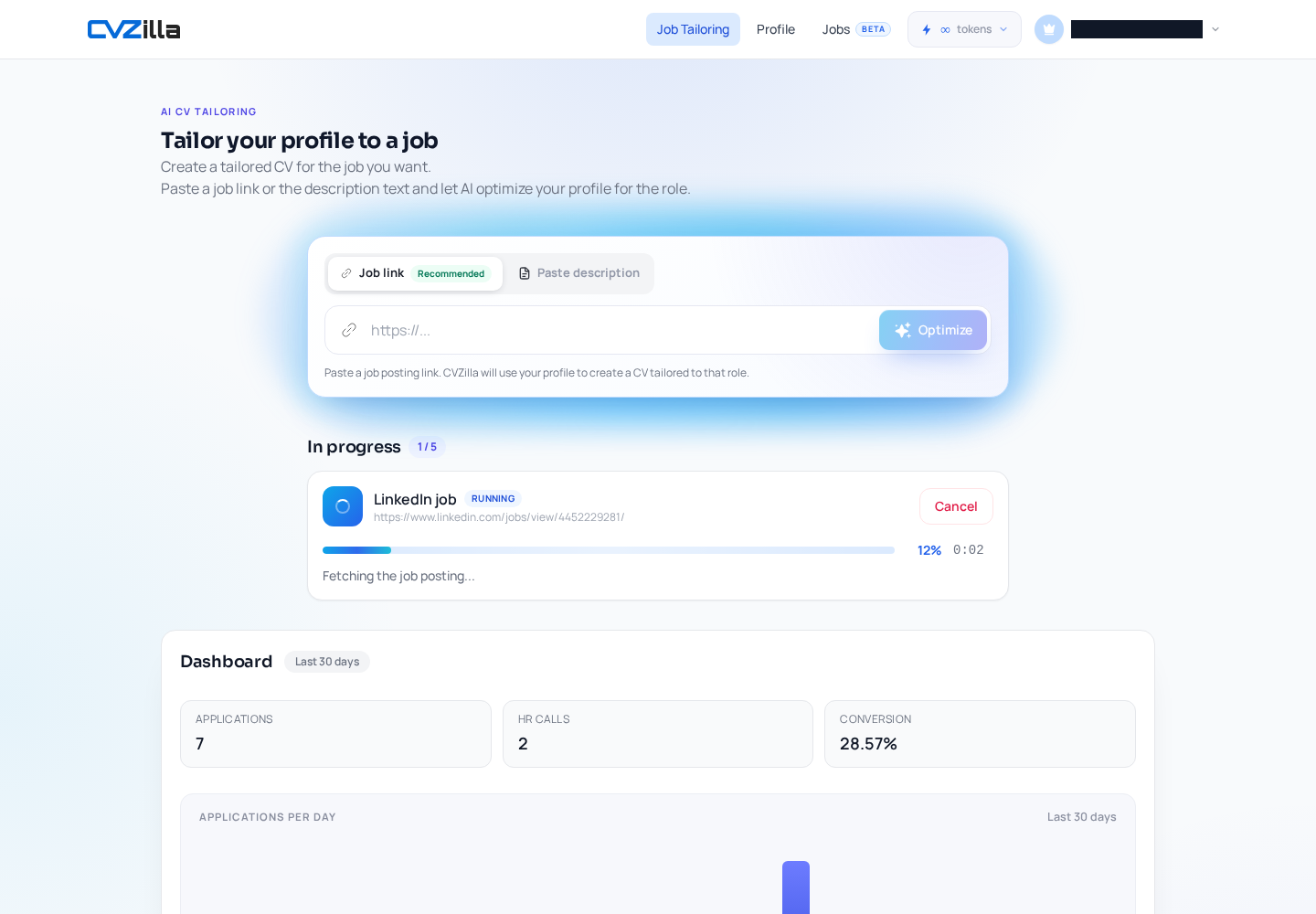
When you open Job Tailoring from a vacancy link or pasted description, CVZilla starts a run with supported vacancy input and builds a tailored result from the profile plus vacancy context. In practice, that means the vacancy becomes the organizing unit, not a random word cloud to chase.
If you are deciding whether to use a link or paste the job text, the important thing is simply that the vacancy is real and specific. The product can start from supported input either way, but the reader should understand the role description is the brief the system is matching against.
This is also where the federal-hiring guidance is useful in a practical, non-dramatic way. Read the announcement carefully, map the specialized experience requirements, and treat the job as the checklist. job announcement guidance is about making the vacancy the brief, not letting your CV wander off on its own.
Availability and limits depend on the current account plan and product rules, so this step should be framed as a product state, not a universal promise.
Follow the live optimization state
After the run starts, the optimization view shows visible progress rather than hidden magic. You can see the percentage complete, elapsed time, current step, and supported controls such as cancel and retry, which makes the process feel like a workflow instead of a black box.
That distinction matters. Progress tells you the job-specific run is moving; it does not tell you that every requirement is already solved or that a stronger match is guaranteed. The interface exposes the state of the run without exposing undocumented internal priorities or calculations.
If the run needs another pass, retry is there as a recovery path, not as a shortcut to fabricate fit. In other words, the app is doing the matching work; you are supervising the result, not playing keyword roulette.
For a reader, this is the least noisy part of the journey. It answers the simple question: what is happening right now, and what can I do next?
Review evidence, then keep the tailored CV separate
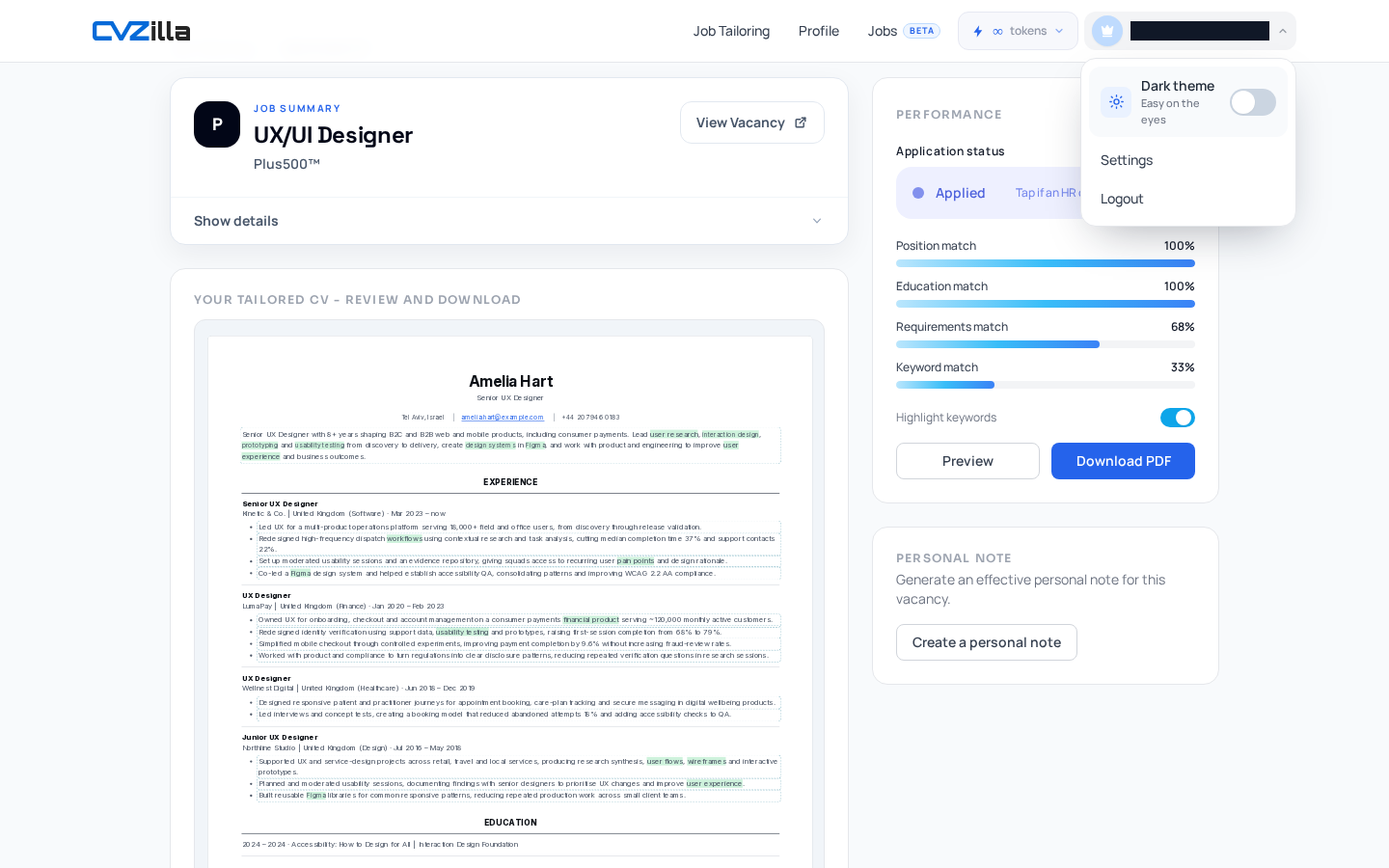
When the result is complete, CVZilla can group vacancy requirements by visible match state and show supporting evidence when available. That gives the review a sane structure: full match, partial match, and no match, instead of a vague feeling that something is “close enough.”
This is where the system becomes genuinely useful for a one-vacancy workflow. You can inspect which claims are supported, which ones are adjacent, and which ones should stay out of the final version. That keeps the tailored CV faithful to the profile rather than inflated for the occasion.
You can also inspect the rendered tailored CV before download, and branding or output availability can depend on the current plan. The point is to check the final rendered document before applying, not after you have already sent it.
The tailored CV should remain distinct from the master Profile. The profile is your source record; the tailored version is the one-off document built for this application. If you want the difference spelled out in product terms, compare the previews is the cleanest way to see source and result without mixing them up.
The cleanest way to tailor a CV to one vacancy in CVZilla is also the least fussy: finish the profile, inspect the base CV, start from a real vacancy, watch the live run, and review the evidence before you download.
That sequence keeps the document grounded, the workflow linear, and the final version easy to trust. And trust is a nice thing to have when your CV is doing the talking.