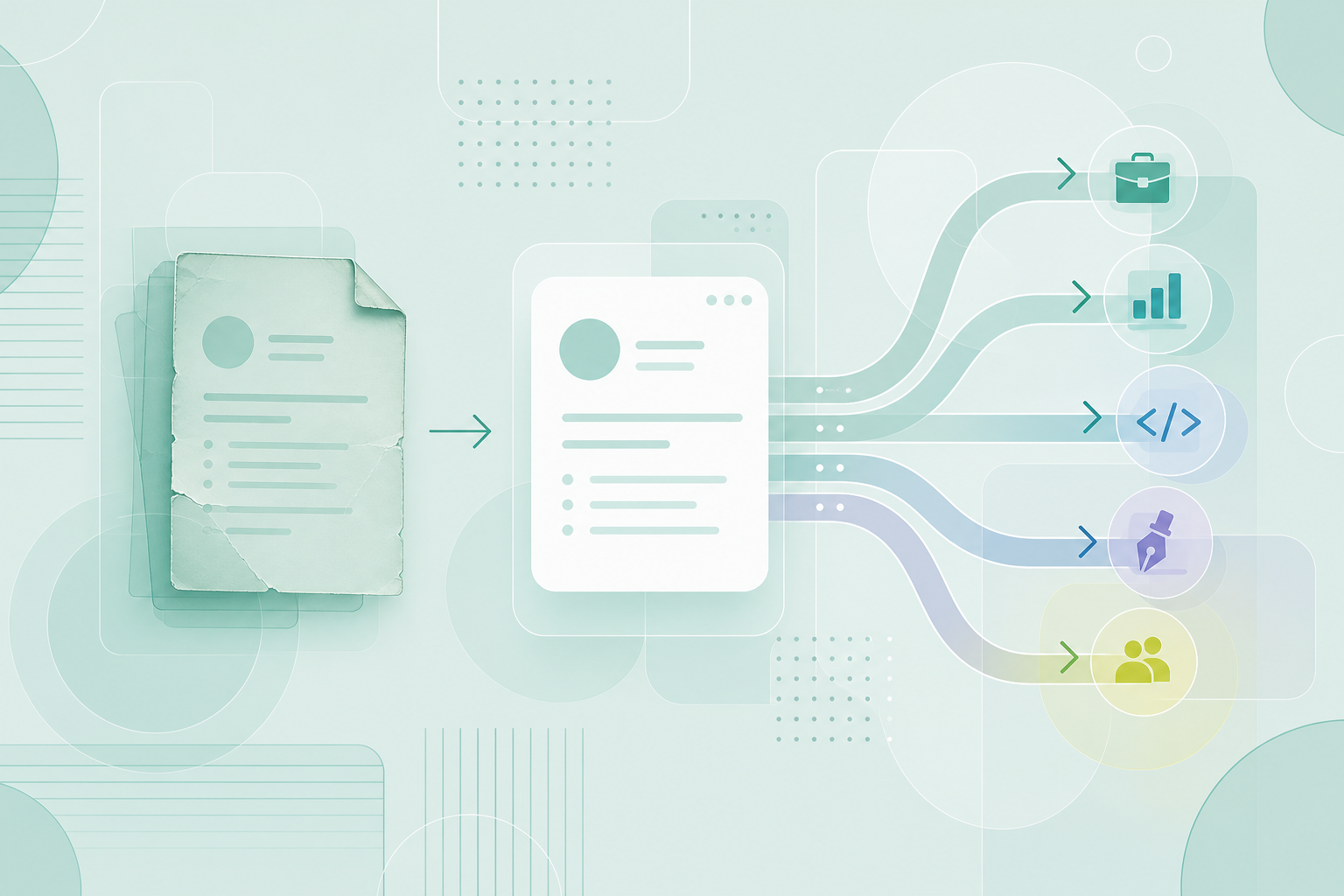
If you already have a CV, importing it is the fastest honest way to start in CVZilla.
You are not rebuilding your career history from scratch.
You are turning one existing CV into a reusable master profile.
That matters because a good starting record saves time later.
It also keeps you closer to the truth.
The import step is a beginning, not a finish.
It gives you something concrete to review before tailoring for a real role.
That is the key idea here: import fast, then inspect carefully.
If you want a shortcut, this is the safe kind.
You still own the final accuracy of every line.
What importing an old CV into CVZilla is for
The point of an import is speed without losing control. If you already have a CV, CVZilla lets you start with that file instead of typing everything again.
The documented import flow accepts common file types and shows extraction progress. You can see the current stage and the percentage while CVZilla works.
That feedback matters when you are waiting on a larger file or a document with dense formatting. You are not left guessing whether anything is happening.
If the import fails, the flow returns you to file selection. That makes the step recoverable, which is useful when a file is messy or the upload needs another try.
This is why importing an old CV is a shortcut into the product, not a shortcut past judgment. You save time on setup, but you still need to decide what belongs in the record.
The practical benefit is simple. You spend less time retyping old history and more time improving the version that will actually be reused.
If your old CV is in a standard file format, import gives you a faster entry point than manual creation.
- Upload an existing CV when you want to avoid manual re-entry.
- Watch the progress indicators so you know the import is still working.
- Try again from file selection if the import does not complete.
What the imported CV becomes inside Profile
After import, the CV becomes your master profile. CVZilla treats that profile as the reusable source for future tailoring.
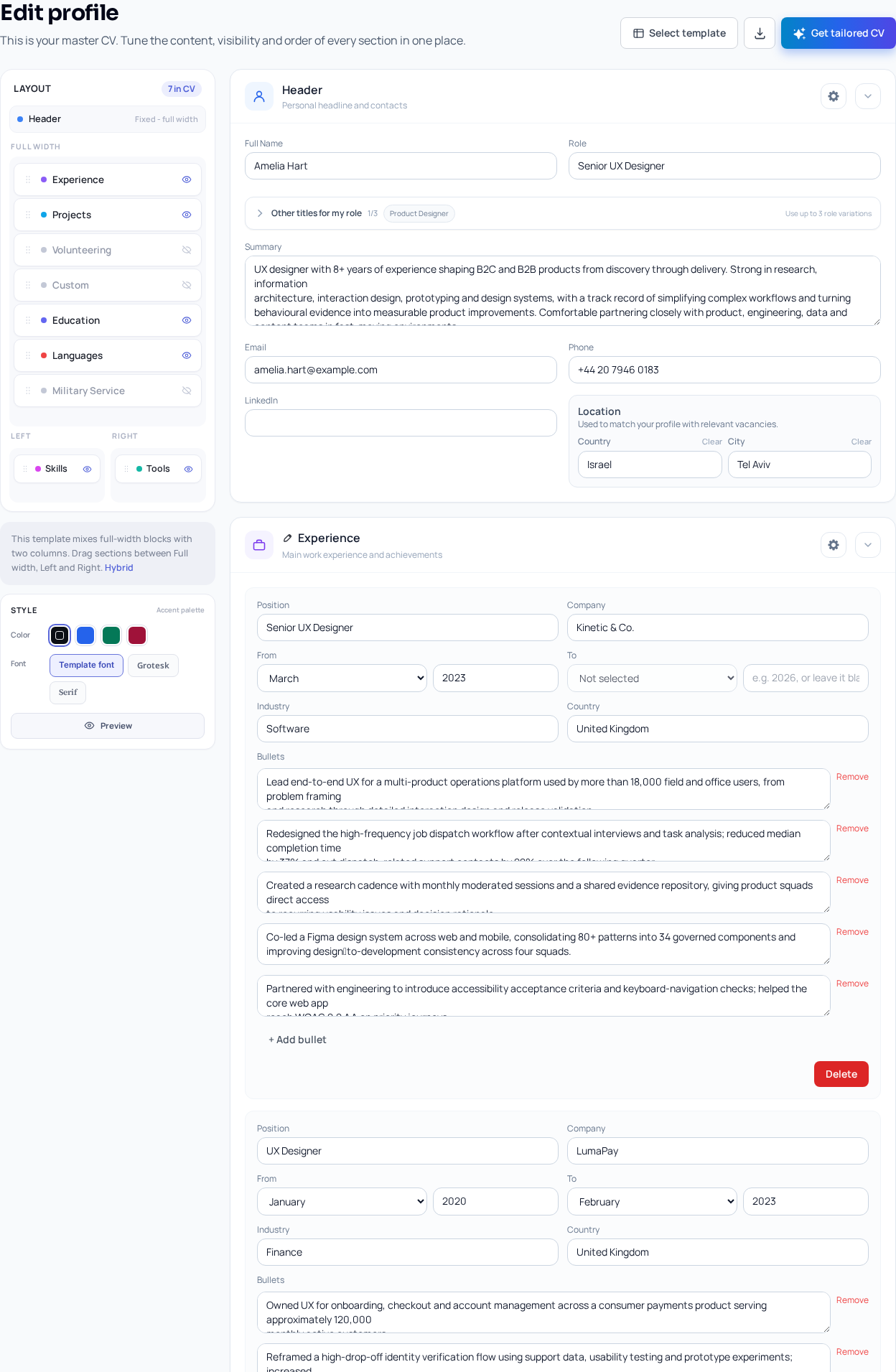
That master profile is the place where your core CV content lives. The Profile area supports headline, role, summary, contact and location details, experience, projects, education, skills, tools, and languages.
The live Profile page also shows the area as your master CV. It presents editable sections for Header, Experience, Projects, Education, Skills, Tools, and Languages, plus template and preview controls.
One important detail matters here. The documentation does not promise a field-by-field auto-fill map. So treat the imported profile as a starting point, not as a completed record.
That is good news, not bad news. It means you can correct the source before it gets reused in future applications.
If you want the cleanest version of your background, use the import to gather the basics quickly. Then refine the result in Profile.
For context on how CV structure affects first impressions, see What a recruiter sees before they read your bullet points.
For a neutral background note on general CV terminology, Curriculum vitae can help.
The main point is that import creates a working source record. It does not replace your judgment about what should stay in it.
- The imported CV becomes the master profile.
- Profile is where you refine the reusable record.
- Treat import as a starting point, because automatic population is not defined field by field.
What you still need to review after import
The first review is simple: check truthfulness. Then check completeness. Then check whether anything sounds stronger than your real evidence supports.
Imported content can miss details, and it can also overstate them. That is normal for any conversion step. The fix is manual review.
Add specific achievements where they matter. CVZilla does not independently verify every claim, so you remain responsible for accuracy.
That responsibility is important. If a skill, title, project, or result is not true, remove it or rewrite it.
Keep an eye on gaps too. An imported profile often gives you the outline, but not always the full story. You may need to fill in dates, project context, tools, or language details.
This is also the moment to remove outdated content. A master profile should be factual enough to reuse later without surprise.
A careful review also prevents weak phrasing from becoming a habit. If a line is vague now, it will stay vague in later versions.
If you want a practical final pass before using the profile in a job application, The final check that keeps a tailored CV honest is the right companion read.
For wider context on fair and truthful employment information, the Equal Employment Opportunity Commission offers a neutral public reference.
A strong import still needs a human edit. That is how you keep the master profile useful instead of merely complete.
- Check for missing details, unsupported claims, and outdated lines.
- Keep only claims you can stand behind in an application.
- Treat the profile as your factual source of truth.
How the profile supports faster tailoring later
A clean master profile pays off when you start tailoring for a real vacancy. Job Tailoring uses that master profile as its starting point.
That means one careful review can support many future versions. You improve the underlying record once, then reuse it as the factual base.
This is the real advantage of importing an old CV into CVZilla. You are not just saving typing time. You are building a single source you can keep improving.
When the source is truthful, tailoring becomes easier. You can focus on relevance instead of reconstructing your entire background every time.
The best tailored CV is still a truthful one. A role-focused version should fit the vacancy, but it must still match your real experience.
If you want to move from profile cleanup into role-specific editing, open Job Tailoring after the profile is sound.
For a simple external reference on job families and skills language, O*NET OnLine can help you compare how roles are described.
This is also where a careful source record matters for later review. A strong master profile reduces the chance of drifting into overclaiming.
In practice, the profile becomes your control layer. You keep the facts there, then adapt only what the vacancy calls for.
That separation makes later work faster because the base material is already organized.
- Job Tailoring starts from the master profile.
- One accurate profile can support many role-specific versions.
- A truthful source record makes later tailoring faster and safer.
What to do next after the import
After the import finishes, go to Profile first. Do not jump straight into tailoring.
Your goal is to make the master profile solid before it gets reused. That means checking structure, clarity, and truth.
Once the profile looks right, move into Job Tailoring for a specific vacancy. Use the imported record as the factual base.
After tailoring, review the result again. The final version should be accurate, relevant, and free of inflated claims.
That review step protects your credibility. It also helps you avoid sending a CV that says more than you can prove.
If you want the fastest next click, open Profile first. Then use Job Tailoring when the record is ready.
You can think of the workflow like this: import, review, then tailor. That order keeps the CV honest and reusable.
If you later update one job history detail, update the master profile first. Then future versions stay aligned.
The same habit saves time across applications. It also lowers the chance of fixing the same mistake repeatedly.
For a broader point of view on why clear evidence matters in documents, What a recruiter sees before they read your bullet points is worth another look.
- Open Profile first after import.
- Fix the master profile before tailoring.
- Review the tailored version before sending it anywhere.
Importing an old CV into CVZilla is about getting to a usable starting point quickly.
The import builds a master profile, not a finished tailored CV.
That is useful because it lets you review one factual record and reuse it later.
If you do the review properly, tailoring gets faster and safer.
If you skip the review, you risk carrying weak or unsupported claims forward.
The best next step is simple: go to Profile, clean up the imported record, then tailor from there.