
Most resume advice creates more edits than clarity. One person tells you to shorten bullets. Another says to add keywords. A third wants a completely different summary. Before long, you are rewriting the whole resume and still not sure what actually matters.
CVZilla's resume optimization panel is more useful when you treat it like a triage screen. Start from a truthful master profile, bring in one real job, and let the feedback point you toward the smallest set of changes that genuinely improve fit.
Start with the panel, not a blank page
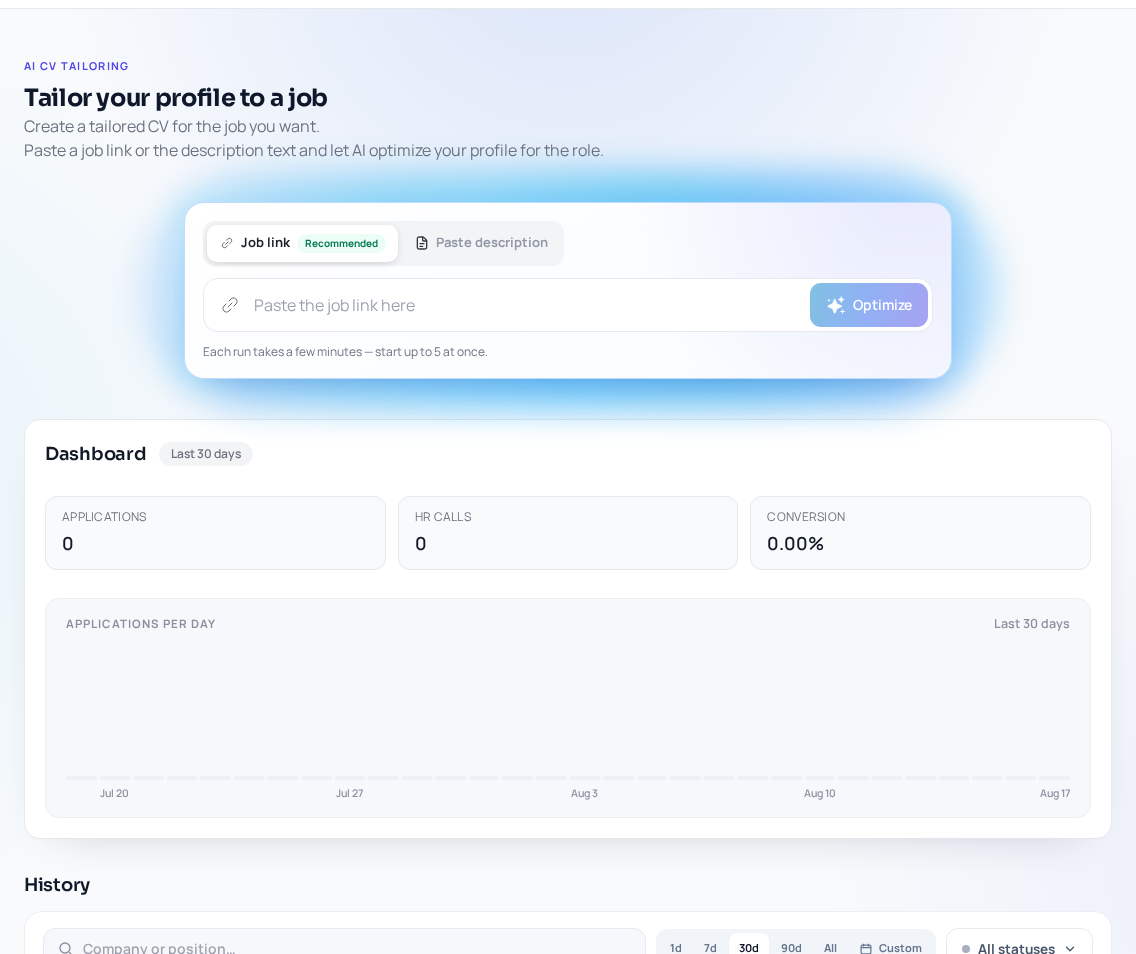
The workflow begins with the master profile and a real job input, such as a job link or pasted description. On the Job Tailoring page, you will see Job link, Paste description, Optimize, Dashboard, and History, and each run may take a few minutes. That is a clue that the goal is focused tailoring, not endless manual rewriting.
Read the panel as a quick way to spot gaps, weak evidence, and areas where the role alignment looks thin. The value is speed: get a role-focused draft, then move on to review instead of rebuilding the entire resume.
- Use the panel to narrow the edit list, not expand it.
- Keep the master profile accurate so every tailored version starts from solid facts.
- Treat a real job description as the filter that gives the feedback context.
Turn suggestions into a simple priority list
I like to sort optimization feedback into three buckets: must-fix, nice-to-have, and ignore for now. In practice, that becomes must-fix, later, and not relevant. You do not need the panel to label them that way; it is a decision-making frame that keeps you from treating every note as equally urgent.
A good safeguard is the supported / adjacent / unsupported test: supported means the profile already shows it, adjacent means the profile points to it through related experience, and unsupported means you cannot honestly claim it. CVZilla's ATS guidance also favors clarity and truthful relevance over copying requirements mechanically or stuffing keywords into the page.
- Must-fix: supported changes that improve clarity, structure, or direct fit for the role.
- Later: adjacent ideas that may help in some cases, but are not essential for this application.
- Not relevant: unsupported or off-target suggestions that should stay out of the resume.
Check every change against the source profile
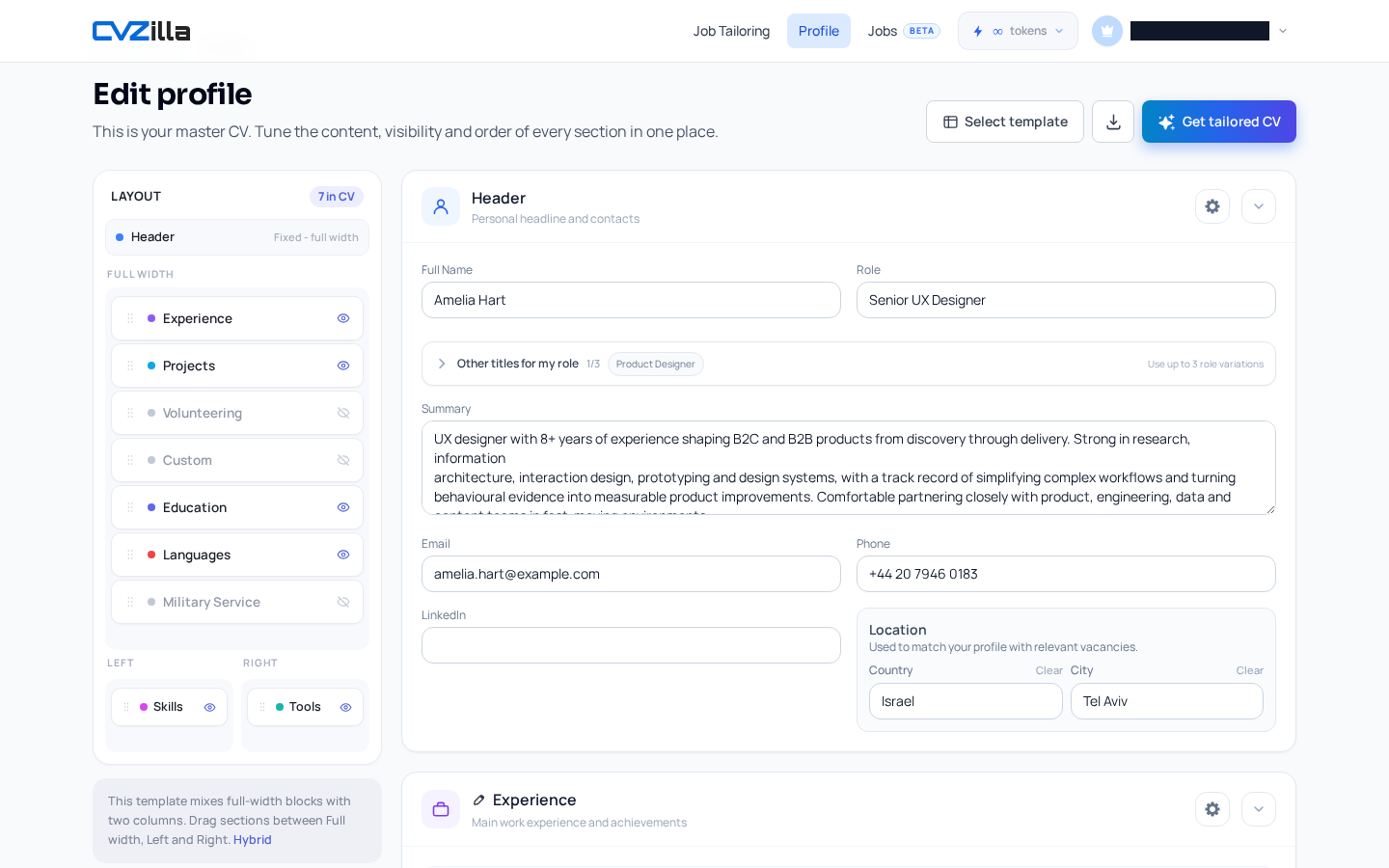
Before you accept any suggestion, open Review your source-of-truth profile and compare the idea against the actual fields: role and summary, contact and location, work and project experience, education, skills, tools and technologies, and languages.
If the profile does not support the claim, do not add it. If the wording overstates your background, scale it back until it matches what you can defend in an application. CVZilla does not independently verify every claim, so the final accuracy check is on you.
- Ask whether the claim is directly supported by experience already in the profile.
- Keep the wording tight enough that you would be comfortable explaining it out loud.
- When in doubt, reduce the claim instead of stretching it.
Use Jobs view to judge role relevance
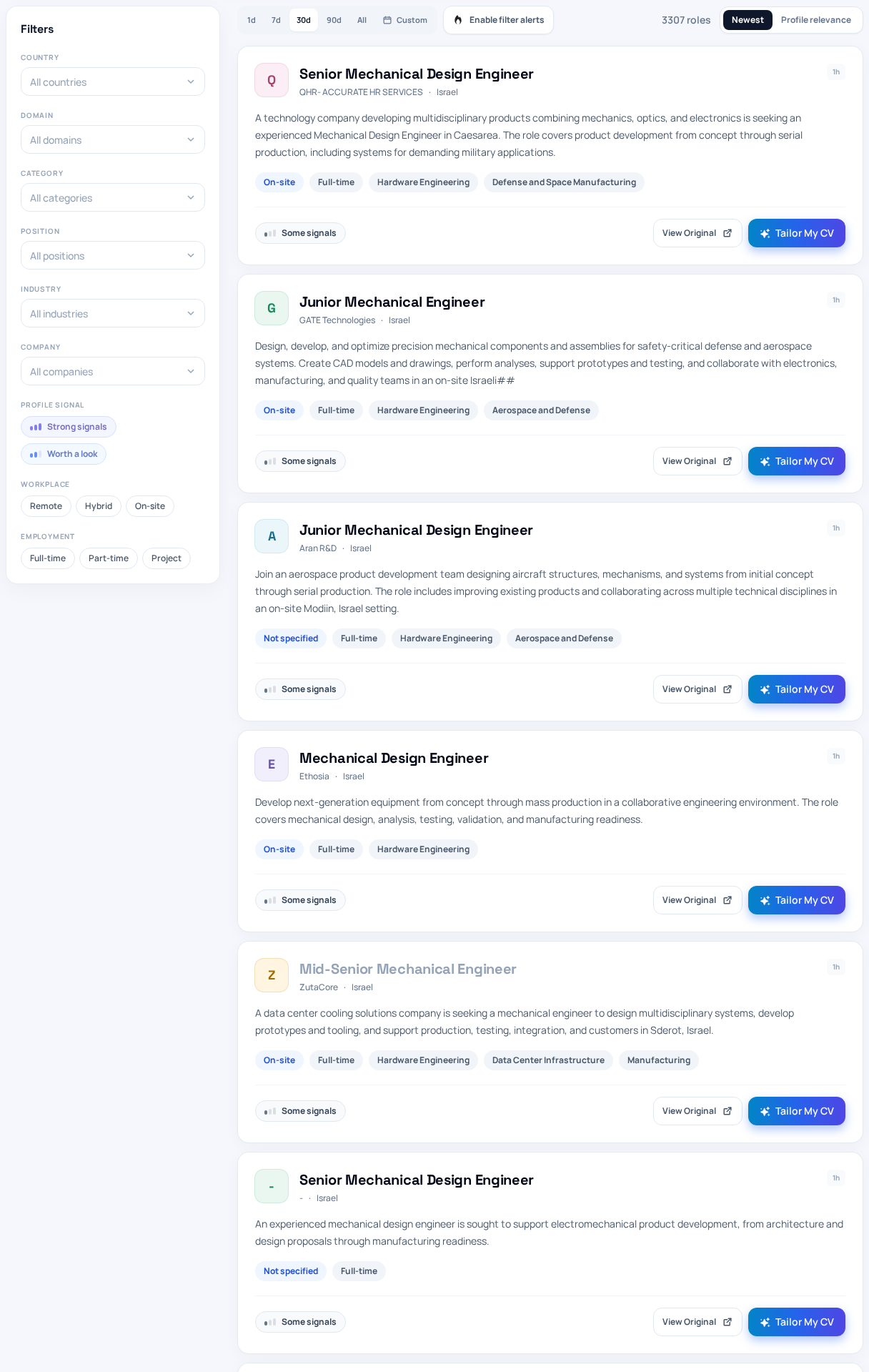
Once you have a candidate change, open Browse open roles to test your fit and use the Jobs view to see whether the edit is actually relevant to this role. Search by role, skills, and keywords, then use Profile relevance sorting after you are signed in with a profile. If you want a neutral vocabulary check before editing, O*NET OnLine can help you compare a role's typical skills and tasks with what your profile already supports.
Inside job details, full, partial, and no match labels, plus keyword coverage categories, are interpretive signals. Use them to judge fit, not as instructions to copy every requirement mechanically. Strong signals and Worth a look can help you focus on openings where tailoring is worth the effort.
This is where the panel becomes a filter: if the job signals are weak or the role is not a fit, save the edit for later. If the signals are strong and the profile already has support, move the suggestion up and spend your time there.
- Use job search to find the role, skills, and keywords that match your profile.
- Use profile relevance sorting and the signal filters to decide whether tailoring is worth doing now.
- Treat match labels and keyword coverage as context, not as a recipe to mirror the posting.
The fastest workflow is simple: choose a real vacancy, run optimization, review the result against your profile, fix anything overstated, and then use the tailored version in the application process. Keep the master profile accurate so the next run starts from solid ground.
If you want a broader refresher on screening mechanics, Understand ATS screening basics gives the context, but the practical rule stays the same: clarity, structure, and truthful fit beat rewriting by anxiety every time.